Product updates
What’s new in Remap.
October2026
, version 2.3 for iOS and the web
Share a route from the web
- On the web, tap Share on a route card to create a public link and open the route’s page. It’s an easy way to pass a route along.
- If a route crosses a short stretch where cycling isn’t allowed, Remap now finds a way around it instead of dropping the whole route. Quieter styles now return noticeably more routes.
- Routes no longer ride up a dead end and back just because it’s near a viewpoint. Dead ends that climb are still included.
- Wahoo now stays connected, without asking you to reconnect a day after setup.
, version 2.2 for iOS and the web
Send your saved routes to Wahoo
Wahoo
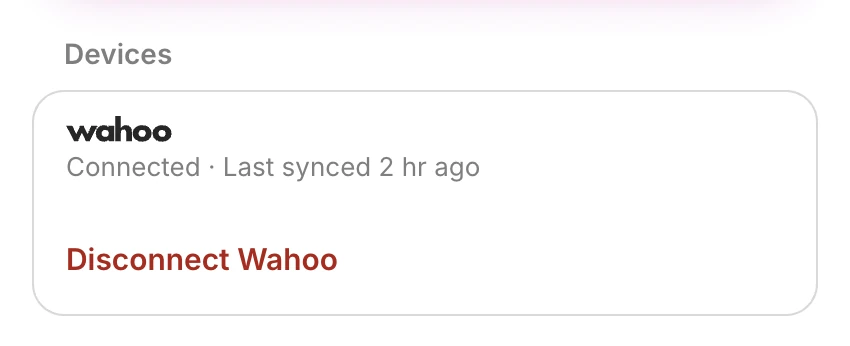
Connect Wahoo under Devices in Settings. Routes you save in Remap appear on your Wahoo as courses, and renaming or deleting a route in Remap makes the same change there. Your Wahoo rides come into Remap automatically, too. Wahoo sync is part of Remap Pro.
Also new
- Just Go settles on a route in about half the time: after 150 m instead of 300 m.
- While your routes are building, a glow spreads from your start along the roads Remap is searching.
- remap.earth has a new help centre when you need a hand.
, version 2.1 for iOS and the web
Spend less time on busy roads, and find your settings in You
Avoid busy roads
A single setting now lets you Avoid or Strongly avoid busy roads, replacing the separate traffic and noise options. Remap judges each road on its own traffic, so a quiet street next to a main road won’t count against it. The setting is on by default for running and every cycling style except Race.
Better route shapes
Routes now have far fewer dead ends and U turns, are much less likely to send you along the same road twice, and more often match the distance you asked for. When you choose a climbing route, it now climbs the hill instead of descending it.
You
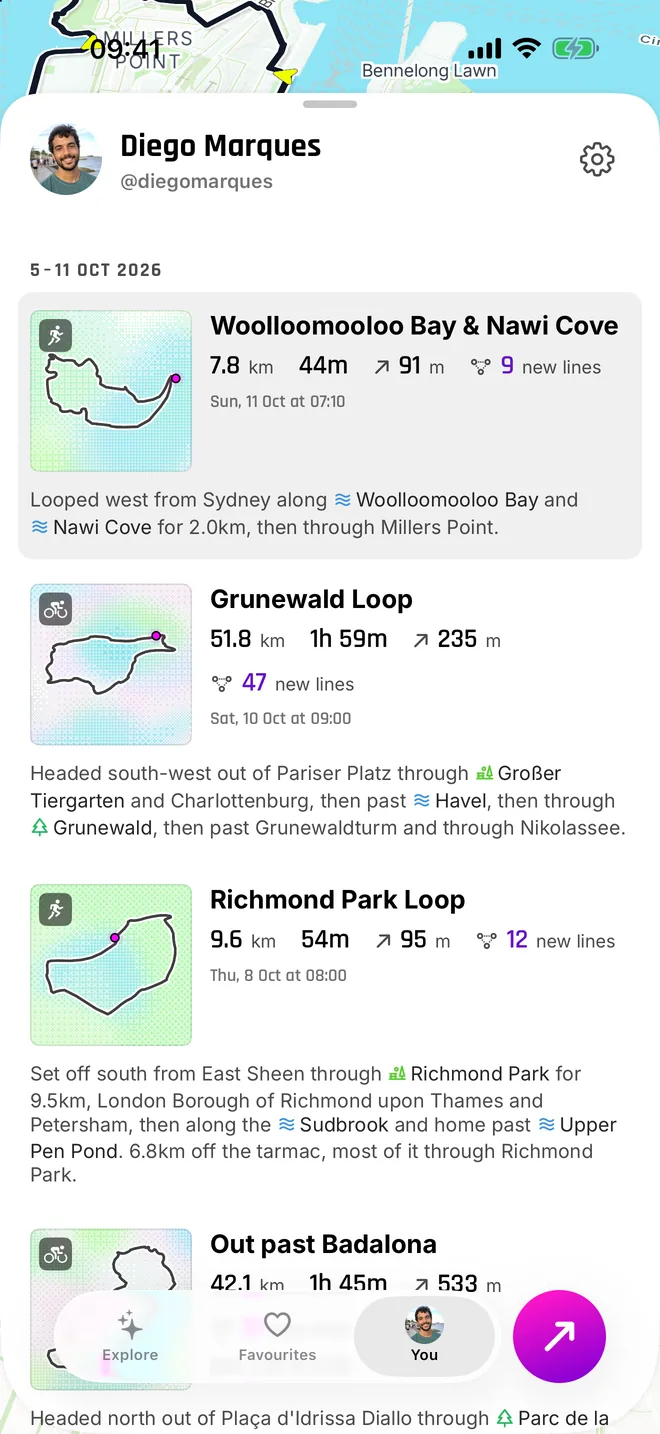
Journal is now You. Your avatar is the icon, and your name, handle and settings are at the top. Settings are together in one list and save as you type, with your subscription first. Miles or kilometres is now set based on where you are when you sign up.
Also new
- Turn guidance as tones is free for everyone. Spoken guidance is part of Pro, and you can choose which one to use for each activity.
- GPX export is free with an account. On the web, you can download routes as GPX beside Save.
- Routes shared with you stay in a Shared list, where you can heart and save the ones you like.
- When you heart a road, it now covers just the stretch you pressed.
- Tap a park or forest to keep your loop inside it.
- Route titles have more variety.
- Just Go starts where you actually are, finds a new route after you leave one and waits to say “Off route” until it’s needed.
, on the web
Get Remap Pro from your browser
You can now subscribe to Remap Pro from the web. Checkout opens right on the page, prices are shown in your currency, and the pricing page explains what’s included with Free and Pro.
, version 2.0 for iOS and the web
Run with Remap, or let Just Go find your way
Running
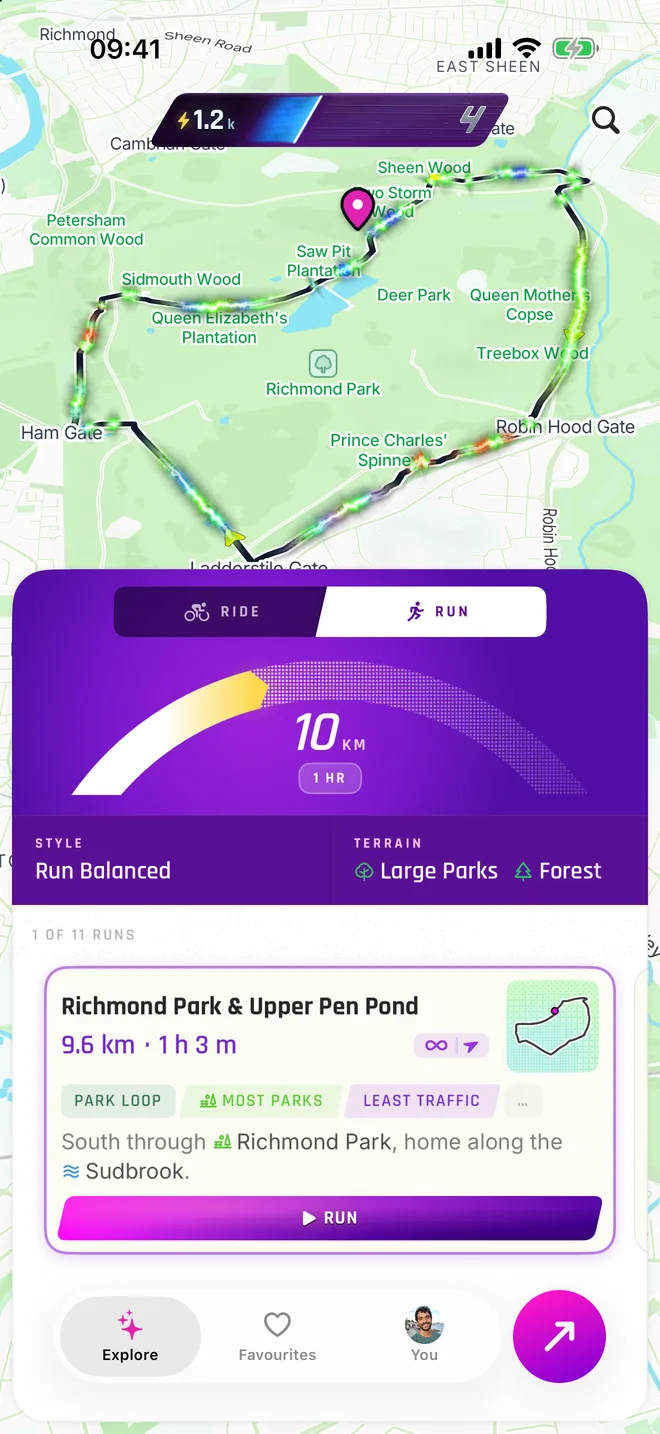
Switch between Ride and Run to plan an outing that suits your day. Running routes favour paths, trails, pavements and quiet streets, with a pace of your own and warnings that matter when you’re on foot.
Just Go
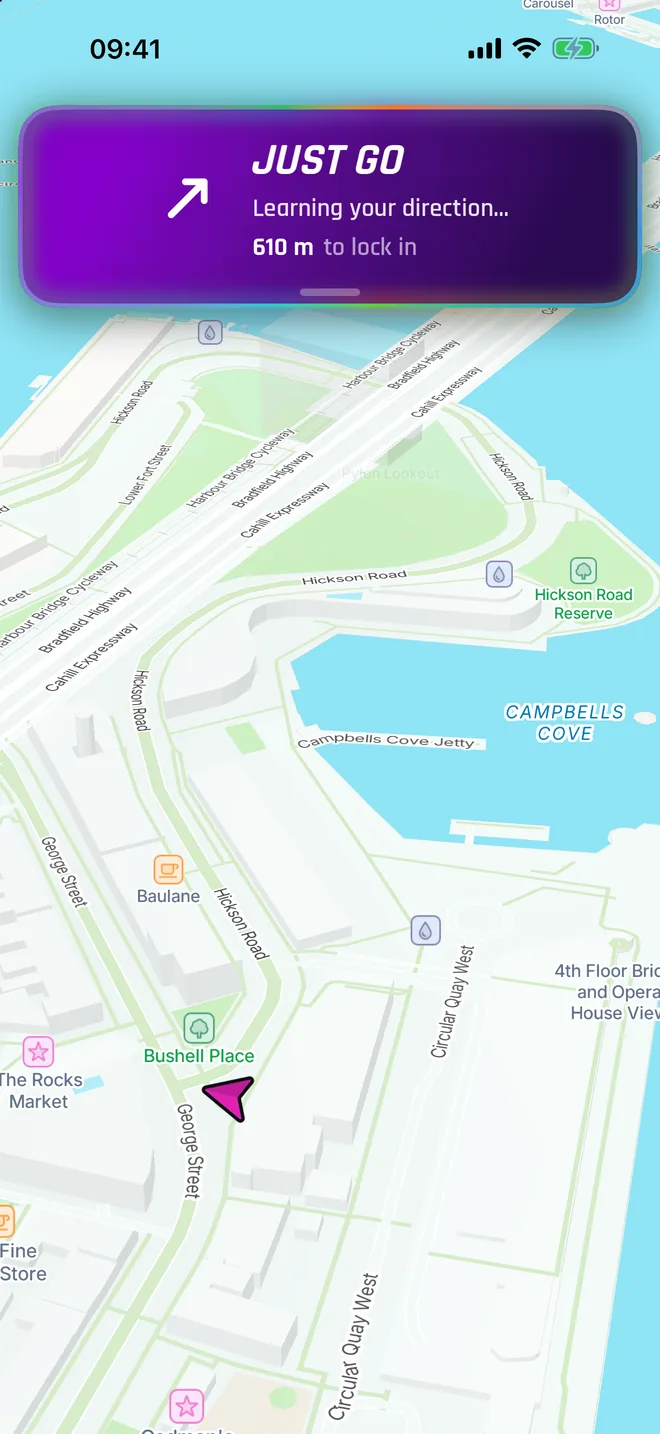
Set off in any direction and Just Go shapes a route around where you’re heading. It adjusts as you turn and tells you its plan out loud. You can switch routes whenever you like.
Also new
- Hear natural, spoken guidance ahead of every turn.
- Compass focus. Point your loop toward the directions you choose.
- Hearts. Heart any road and see the roads the Remap community loves on your map, along with how many people love them.
- Your Journal. Every ride and run becomes a short story, with real place names and the new roads you explored.
- Take a route into a forest or large park and loop inside it.
- Earn new badges for a route with the most nature and one that flows best.
- Shared routes and rides now show the glowing route, its readings and an elevation graph.
- Explore has a new console with a distance arc and map search.
- Pick your own @handle.
- On iOS 26, the tab bar and search have the new glass look.
Remap Pro unlocks Just Go, spoken guidance, compass focus and unlimited saved routes. It comes with a 7 day free trial.
September2026
, version 1.0.4 for iOS and the web
A few small fixes for your rides
- Your list of ridden roads loads reliably again, so you can get back to exploring it.
- Out and back routes now glow in the right direction on the map.
- Popups close when you switch tabs, keeping the view tidy.
August2026
, version 1.0.3 for iOS and the web
Smoother routes for road cycling
- Road cycling styles now avoid shared paths, sharp turns and busy intersections by default, for a more comfortable ride.
- If you take a wrong turn, Remap reroutes you every time so you can keep going.
- Change your display name in Settings.
- On the web, location search is now in the distance slider.
- Uploads no longer fail if something goes wrong after your ride has been saved.
, version 1.0.2 for iOS and the web
Choose your destination and starting point
- Route directly here. Search for a place and Remap will plan a route straight there, instead of only making a loop.
- Choose your start. Tap the map on the web, or press and hold on iOS, to begin somewhere other than where you are.
- Feedback. Report a bug is now Feedback. Add your email if you’d like a reply.
- Routes have fewer odd shapes: fewer out and backs that overshoot, no riding the wrong way down a one way street, and no thin spikes doubling back on themselves.
- Road warnings are clearer. Tram rails are named as such, and misleading speeds are hidden.
- On a phone browser, the sheet and route cards now match the iPhone app.
, version 1.0.1 for iOS and the web
Share a route or send it to your bike computer
- Open a route’s menu to share a link or export a GPX file for your bike computer. In Messages, the shared link opens as a picture of the route.
- Shared links now have sharper, more reliable previews, so the route is easier to see before opening it.
- A progress bar appears while map data loads, before your routes start building.
- In dense cities, routes now start building much sooner.
- Route names and descriptions have more variety and read more naturally.
- The app now stays in light appearance, and the road popup layout has been fixed.
, version 1.0 for iOS and the web
Meet Remap
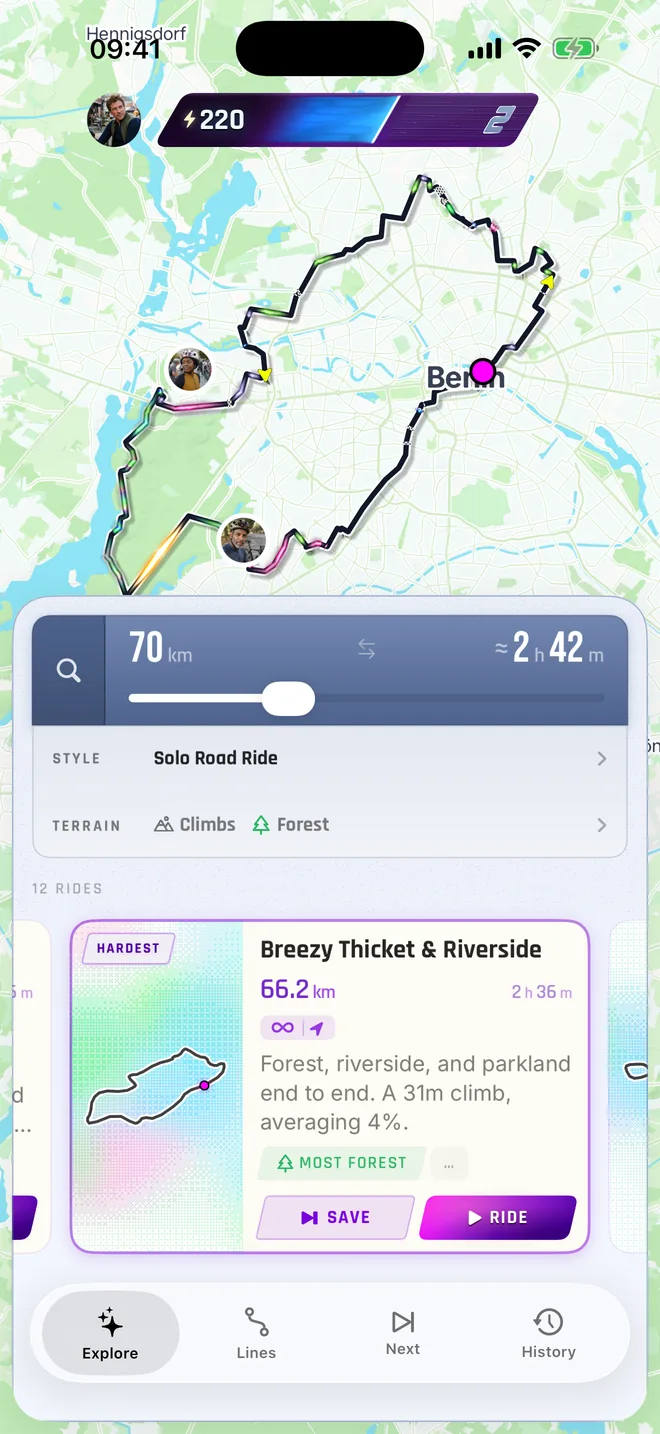
Choose a distance or time and Remap builds a loop from where you are, then brings you home. It looks at what each road is like to ride: how busy or noisy it is, whether it passes through forest or follows water, its surface and its climbs. That helps you find a route that feels right for the ride you want.
- Choose road or gravel styles, for a solo ride or a group, and rule out anything you’d rather avoid.
- Comfort is tuned to your region, so a quiet road means quiet where you live.
- Follow turn by turn navigation with a turn banner and cue sounds, a climb graph and the road’s speed sign.
- Pair a Bluetooth sensor, record your ride and see a summary when you finish.
- Save routes to come back to later or share any route with a link.
Explore the map and generate routes without an account. Sign in with Apple or Google to record and save.